2.16 Slide Switch
Overview
In this lesson, you will get to know something about Switch. A slide switch, just as its name implies, is to slide the switch bar to connect or break the circuit, and further switch circuits. The slide switch is commonly used in low-voltage circuit. It has the features of flexibility and stability, and applies in electric instruments and electric toys widely.
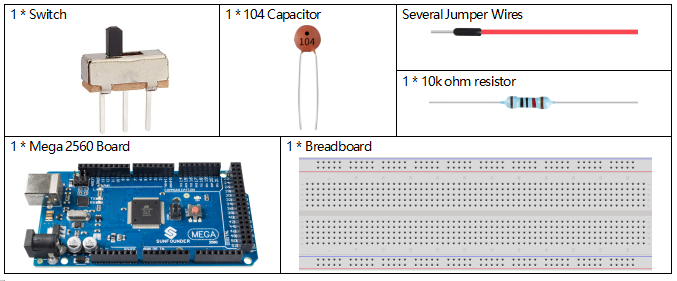
Components Required
Fritzing Circuit
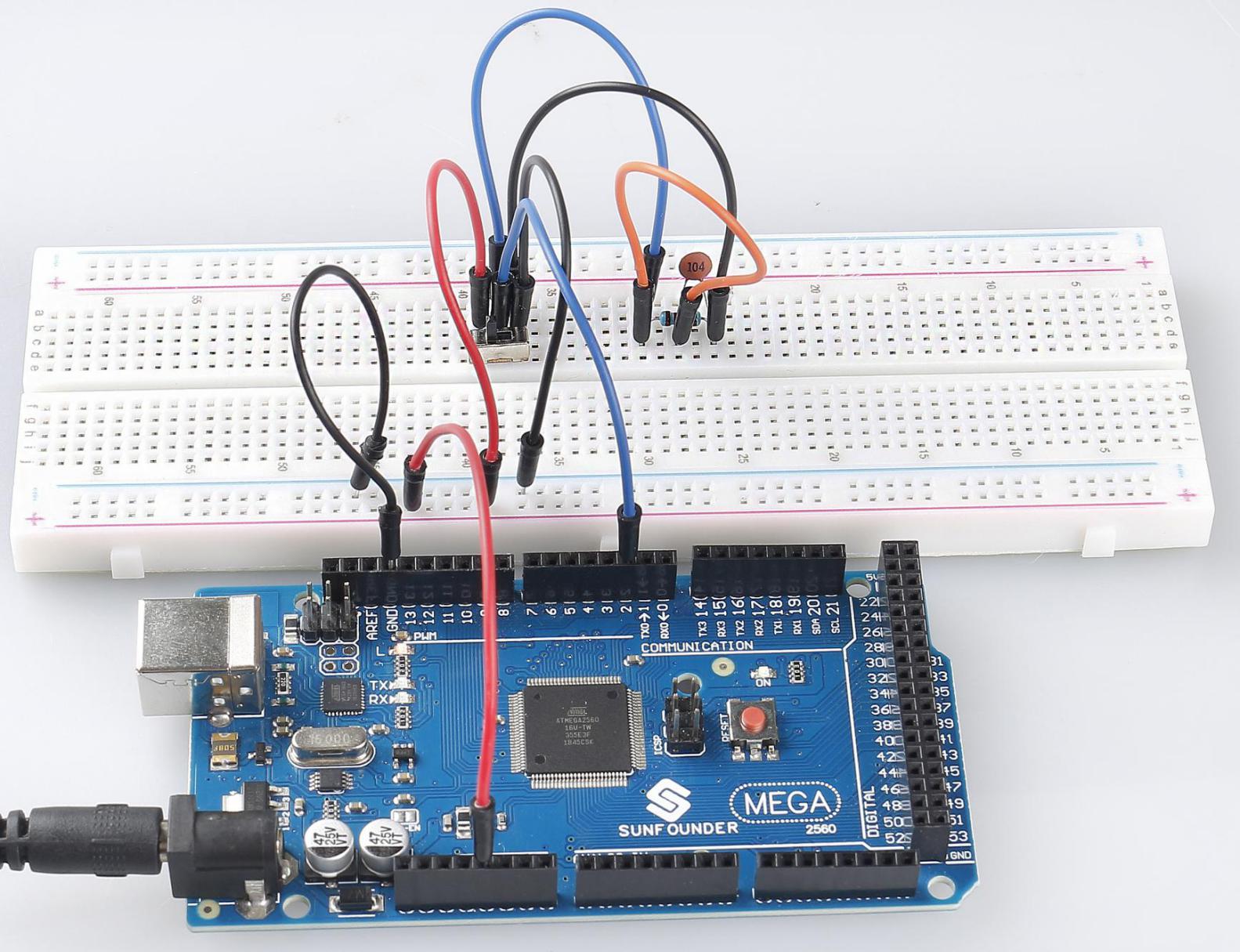
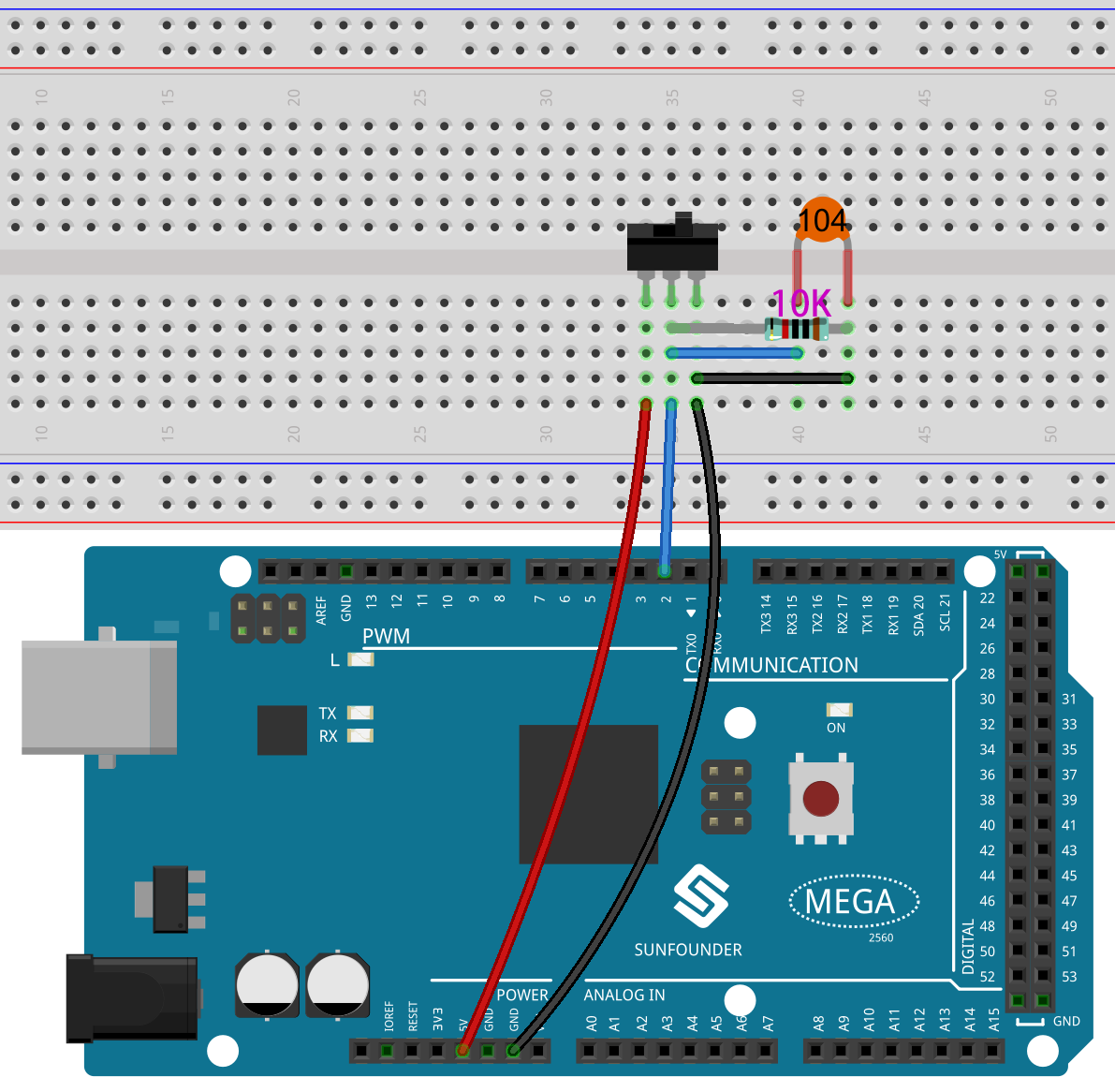
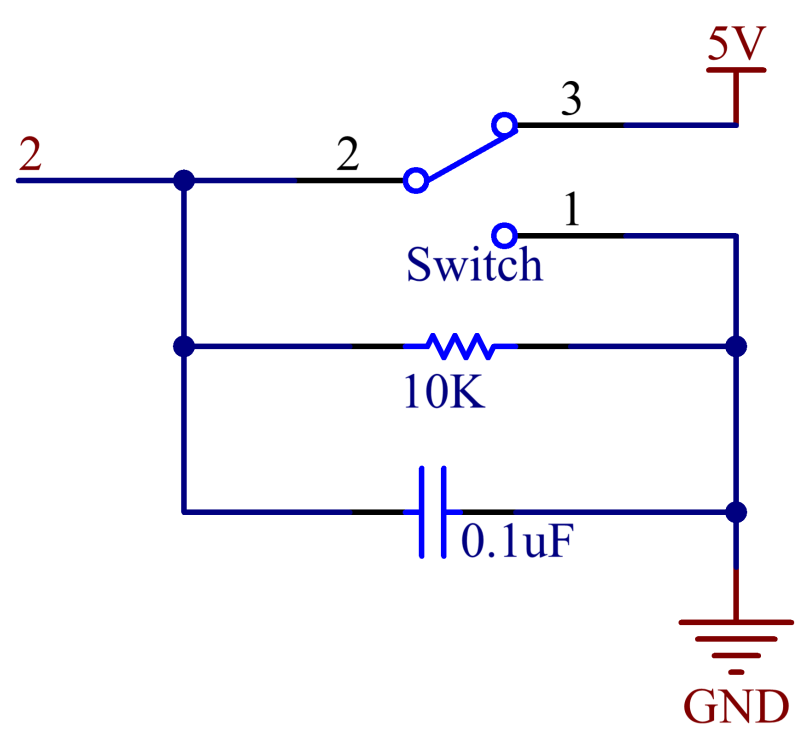
In this example, digital pin 2 is used to read the signal of Switch. In addition, you need to connect a 10 kΩ resistor and a 104 capacitor in parallel to form a RC circuit (Resistor - Capacitance circuit) which is set between pin 2 and GND to realize debounce that may arise from your toggle of switch.
Schematic Diagram
Code
Σημείωση
You can open the file
2.16_switch.inounder the path ofsunfounder_vincent_kit_for_arduino\code\2.16_switchdirectly.Or copy this code into Arduino IDE 1/2.
Or click Open Code to open it in Web Editor.
Then Upload the Code to the board.
After the codes are uploaded to the Mega2560 board, you can open the serial monitor to check the readings of the pin. When the Switch toggles to the left, the serial monitor displays 「1」; when toggles to the right, the serial monitor displays「0」. Refer to 1.4 Digital Read to check the code explanation.
Phenomenon Picture