2.2 LED
Overview
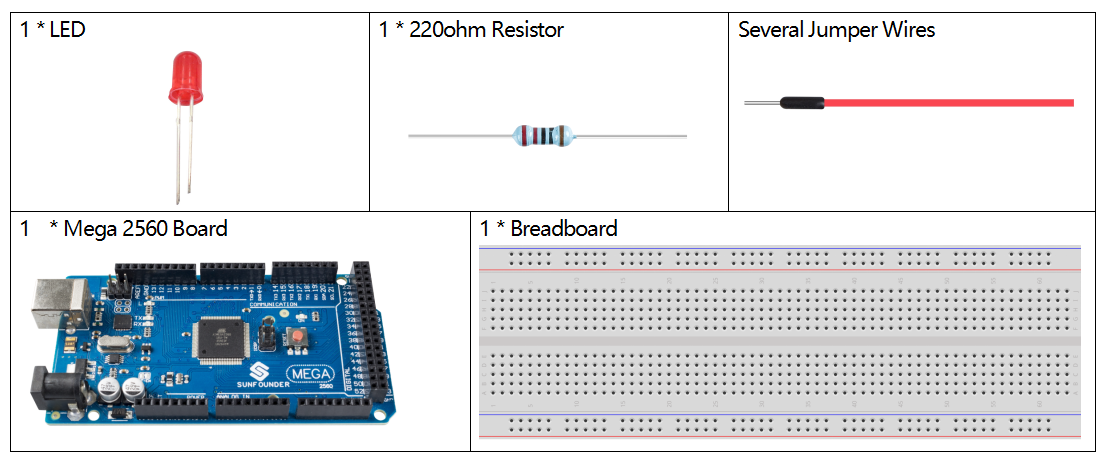
In this lesson, you will learn how to use LED. LED is a kind of common light-emitting device that works according to the principle that the recombination of electron and hole releases energy to give out light. This component is used widely in the current society, such as illumination, panel display, medical device and so on.
Schematic Diagram
Fritzing Circuit
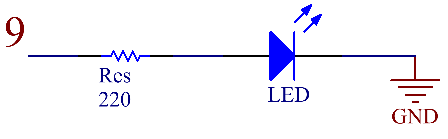
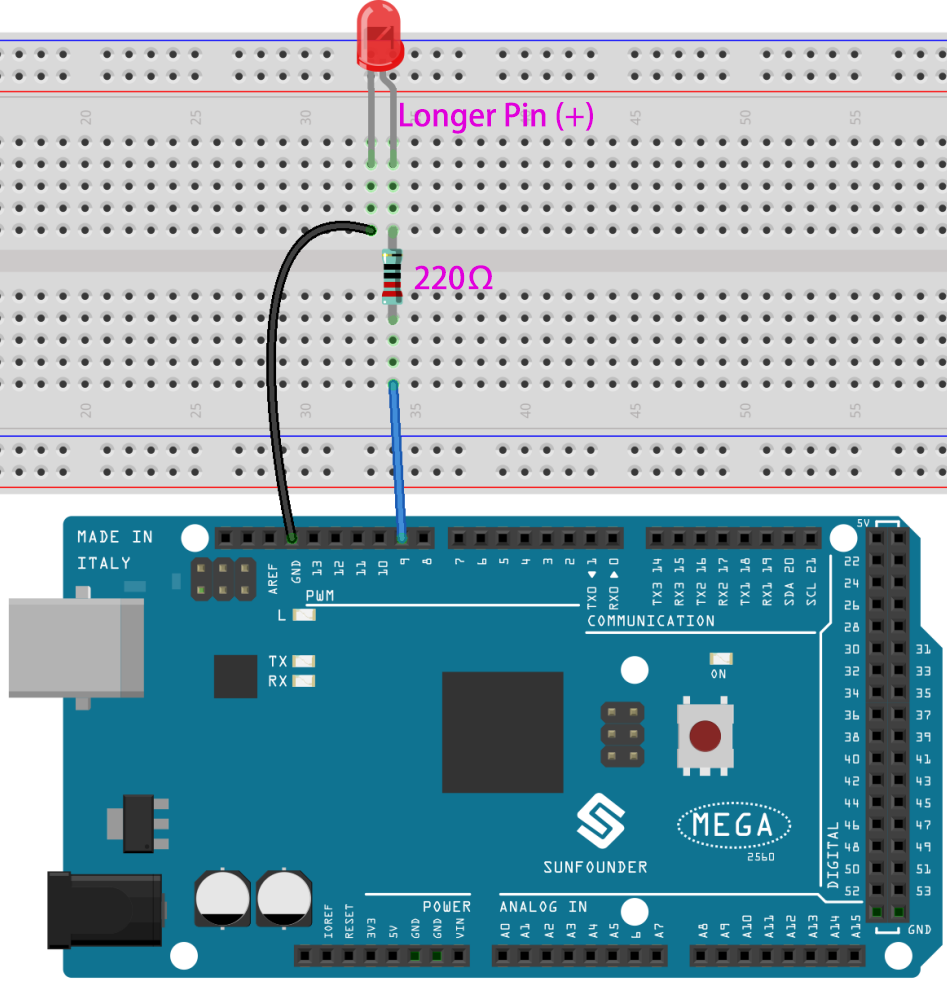
In this example, we use pin 9 to drive LED. Insert one side of the resistor in the digital pin 9 and connect the longer pin (a positive electrode, referred to as anode) of the LED with the other side of the resistor. Extend the shorter pin (a negative electrode, referred to as cathode) of the LED to GND.
Code
Σημείωση
You can open the file
2.2_led.inounder the path ofsunfounder_vincent_kit_for_arduino\code\2.2_leddirectly.Or copy this code into Arduino IDE 1/2.
Or click Open Code to open it in Web Editor.
Then Upload the Code to the board.
Example 1:
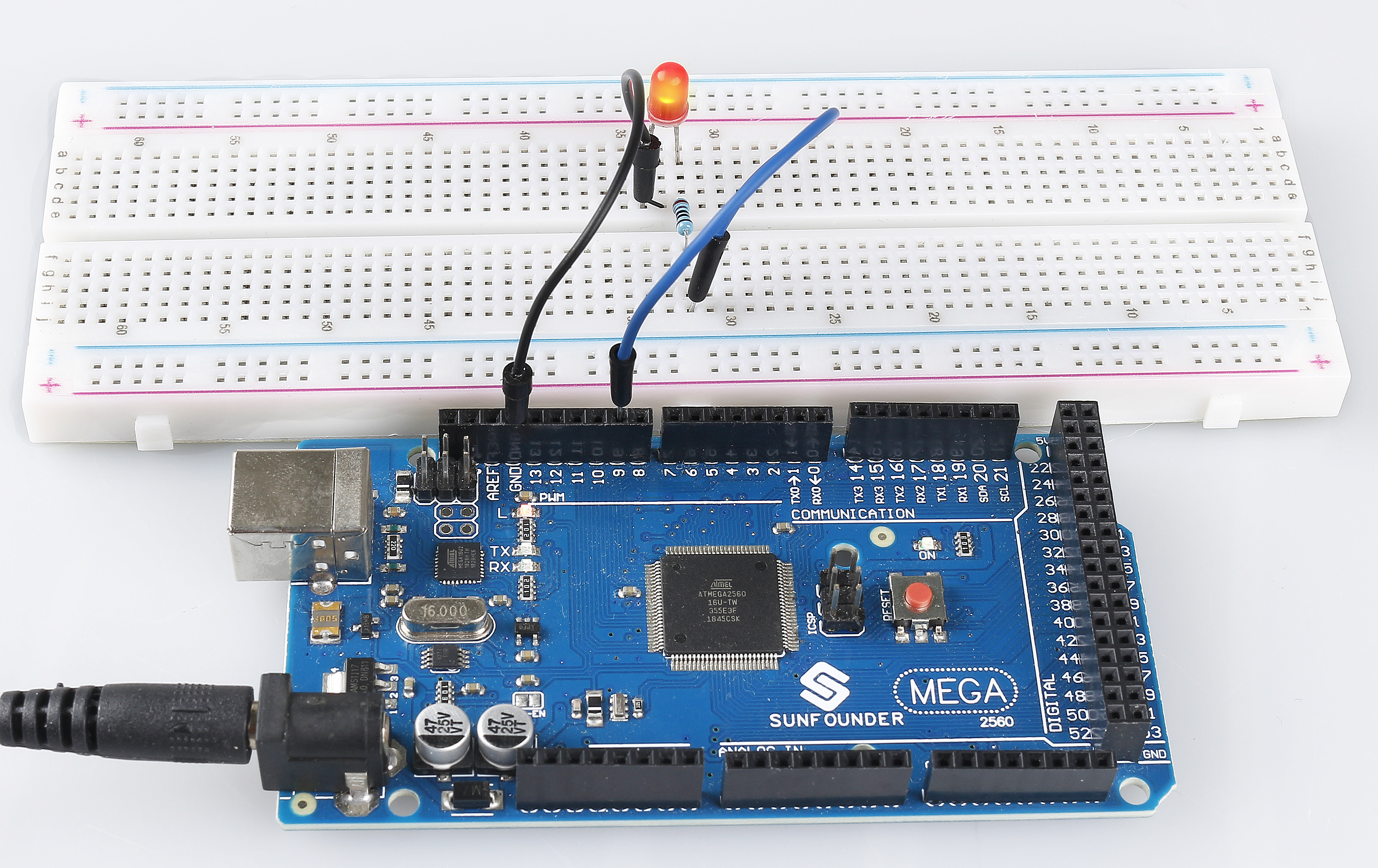
Finished uploading the codes to the Mega2560 board, you can see the LED flashing. Refer to 1.2 Digital Write to check the detail code explanation.
Example 2:
Σημείωση
You can open the file
2.2_led_2.inounder the path ofsunfounder_vincent_kit_for_arduino\code\2.2_led_2directly.Or copy this code into Arduino IDE 1/2.
Or click Open Code to open it in Web Editor.
Then Upload the Code to the board.
After uploading the codes to the Mega2560 board, you can see the LED getting brighter, then turning off, getting brighter, then turning off again…this loop will continue in this way. About the detail code explanation, please refer to 1.3 Analog Write.
Phenomenon Picture